Extract and export
Collect highlights and notes, choose citation styles, and export Markdown with source links. Keep your reading available to StrataWrite, Obsidian, and other writing tools.
4.0 preview · Mac, iPad, and iPhone
Find the passage behind the idea. The upcoming 4.0 release brings full-text search, cited evidence, and a richer research library to your PDF reading and annotation workflow.
 StrataRead 4.0 preview
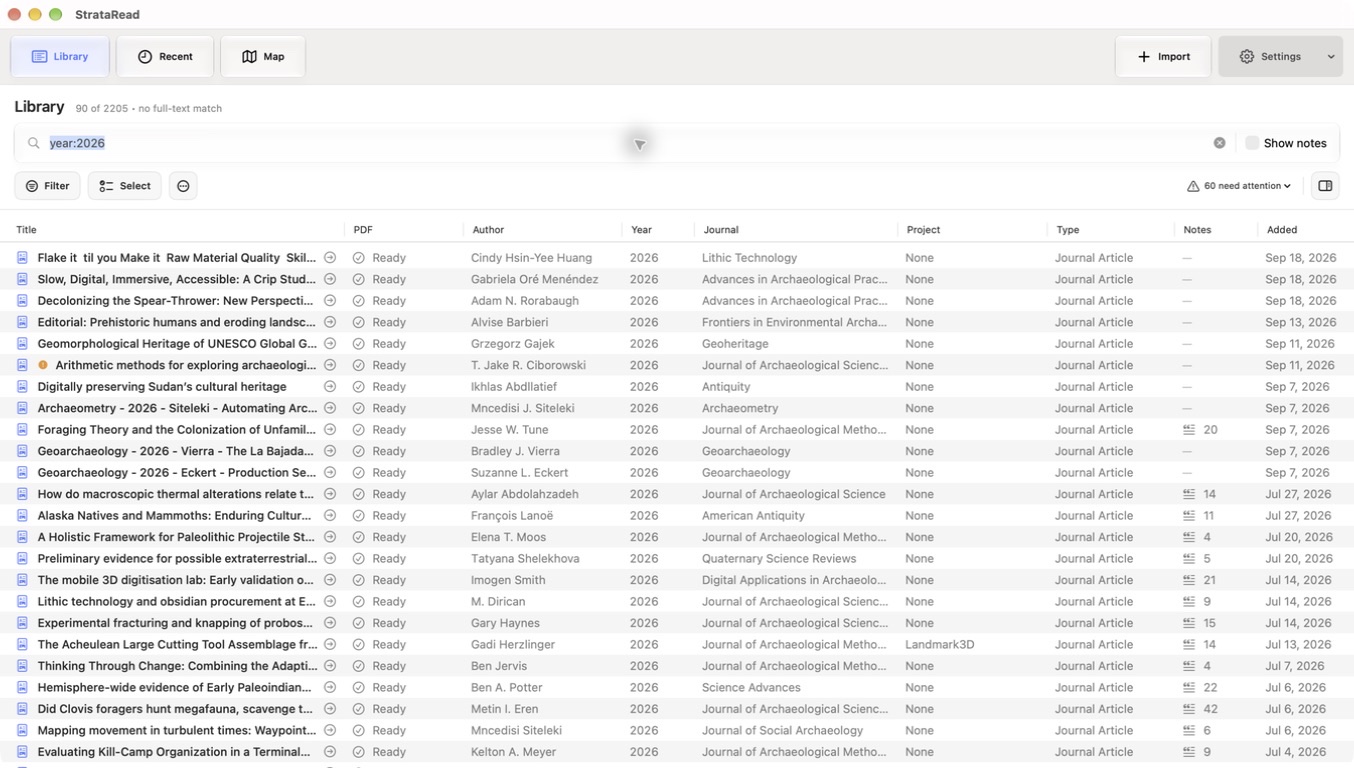
Move between Library, Recent, and Map views. Scan source details in a table on Mac and iPad, or use the compact library on iPhone.
Search indexed PDF text alongside metadata, notes, and extracts. Narrow results by author, year, title, project, or keyword, with indexing status visible as the library prepares.
Organize sources around your research, browse topic relationships in Map, and keep track of your reading as the collection grows.
Review suggested metadata repairs, inspect duplicate candidates, and look for available open-access PDFs. Bibliographic lookups support DOI, ISBN, title, and author information.
The Evidence sheet
The new Evidence sheet gathers matching passages across papers, grouped by source with citations and page context. Filters help you focus on methods, citation cues, figures and tables, DOI mentions, or keywords.
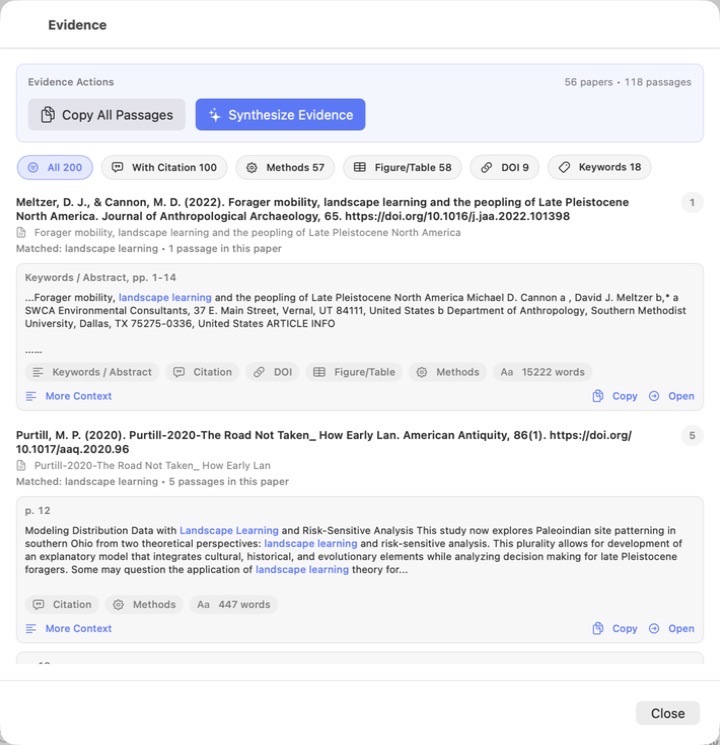
Expand the surrounding text and return to the PDF page to check the passage in its original setting.
Copy one passage or a collection as Markdown with source references and links back into StrataRead.
On supported devices, Apple’s on-device model can help synthesize the retrieved passages. Review its answer against the evidence and original papers.
Reading into writing
Collect highlights and notes, choose citation styles, and export Markdown with source links. Keep your reading available to StrataWrite, Obsidian, and other writing tools.
On Mac, enable StrataRead’s local read connection to find its sources inside StrataWrite’s citation palette. Select a source to import metadata and insert the reference.
AI Connections lets compatible Mac assistants search and read permitted library content. Read access is off by default, with separate permission for changes. Connected apps may send content to their own providers.
Built-in generation uses Apple’s on-device model where available; compatible hardware and Apple Intelligence are required. Metadata lookups contact outside research services. Read about privacy and controls.
This is a preview of work toward 4.0. Features may change before release; availability has not yet been announced.