Search StrataRead while citing
On Mac, StrataWrite can search a running StrataRead library from Insert Reference. Enable StrataRead’s local read connection to import source metadata and insert a citation.
4.0 preview · Mac, iPad, and iPhone
Write from a living research library. The upcoming 4.0 release connects notes, manuscripts, citations, figures, and tables, with StrataRead bringing the evidence from your reading into reach.
 StrataWrite 4.0 preview
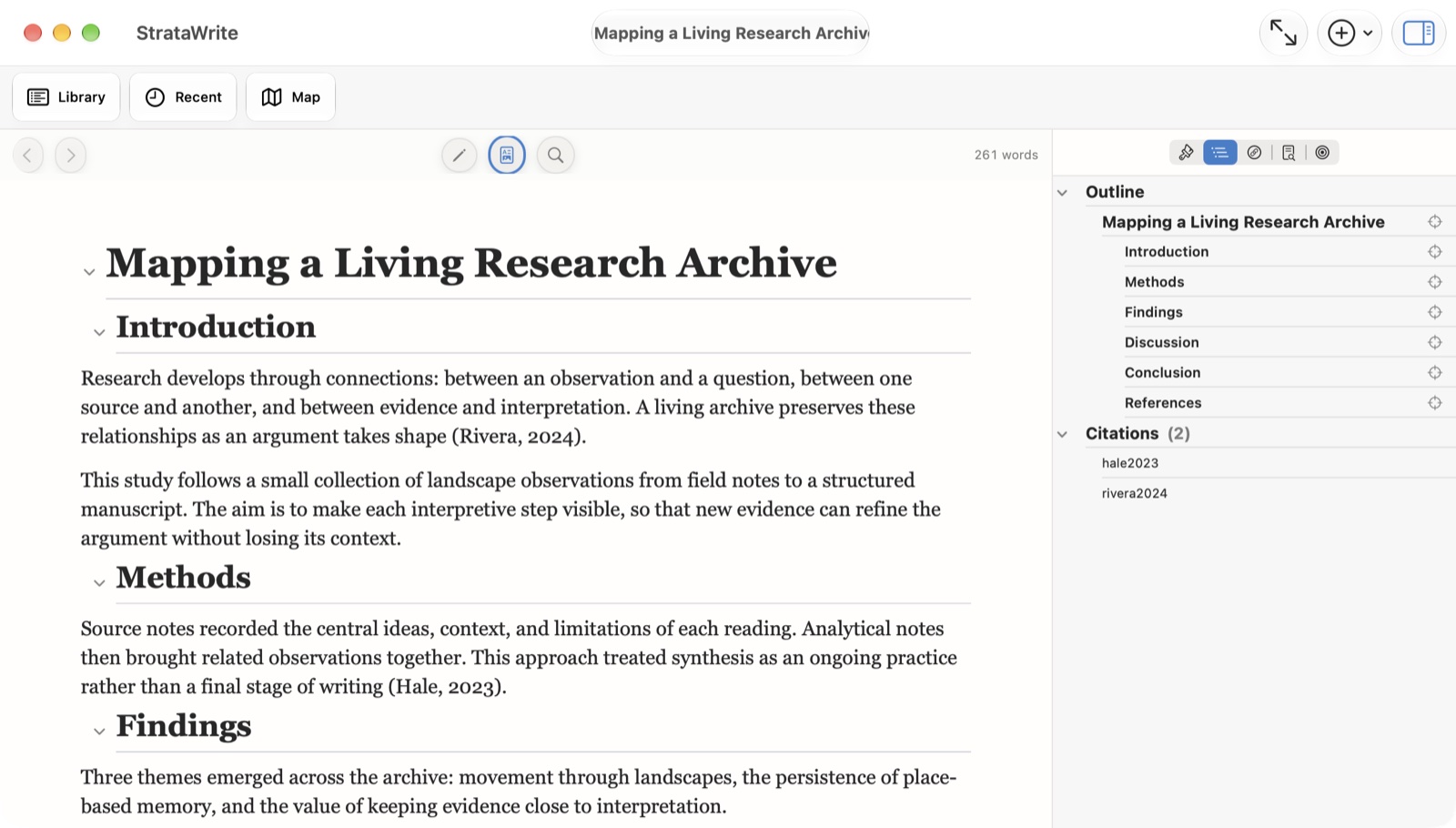
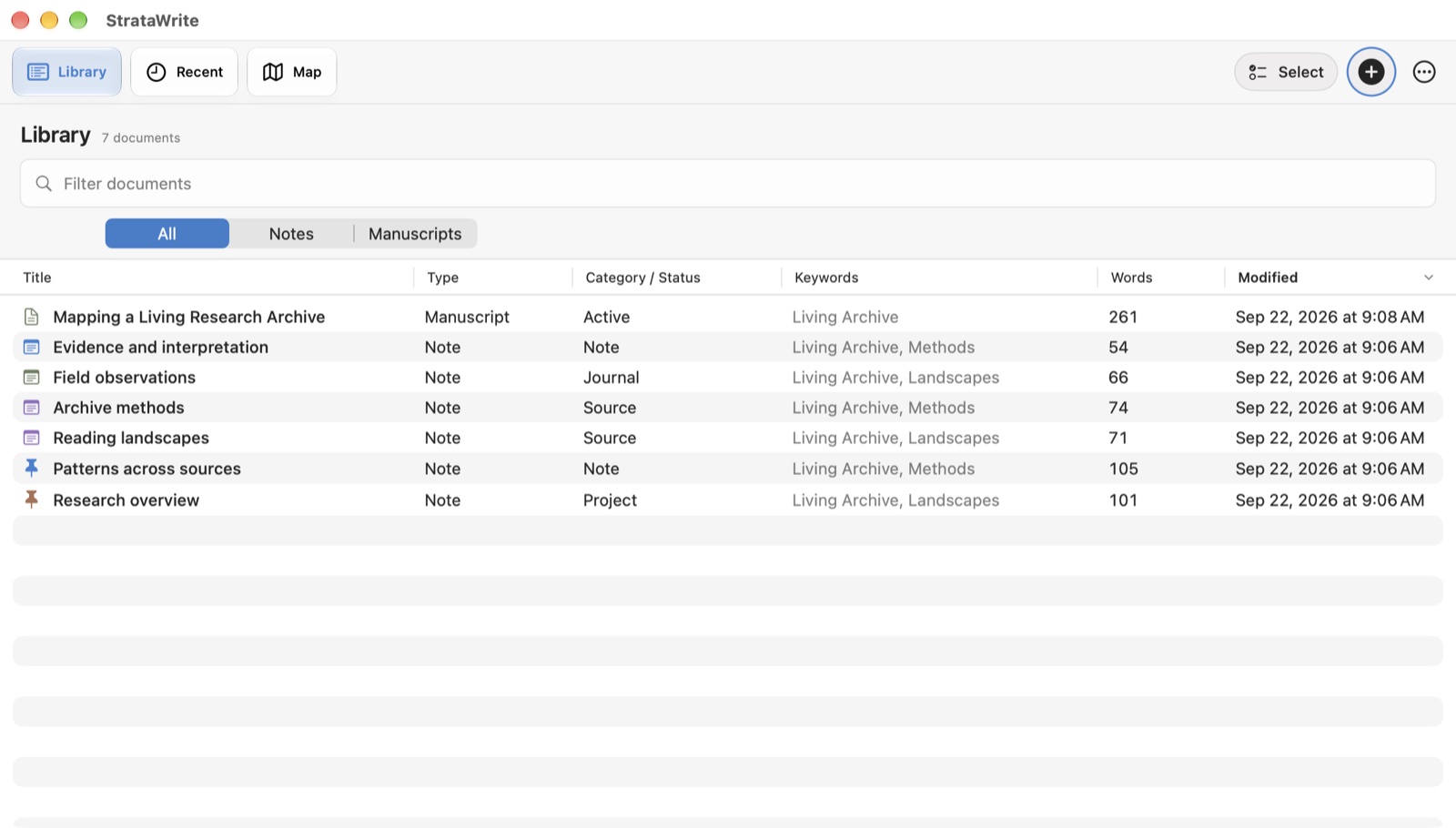
Version 4.0 brings notes and manuscripts into one library, with Recent and Map views to help you return to a draft or follow a research topic.
Browse notes and manuscripts together. Follow backlinks and linked excerpts, organize by keywords, or use Quick Open to reach a document or research asset.
Gather passages from matching notes in the Evidence sheet, review source context, and copy material into your draft. Ask Library offers assistance grounded in your library on supported devices.
Insert references from source notes, DOI lookups, or manual entries. Choose a citation style and keep an added reference section synchronized with your manuscript.
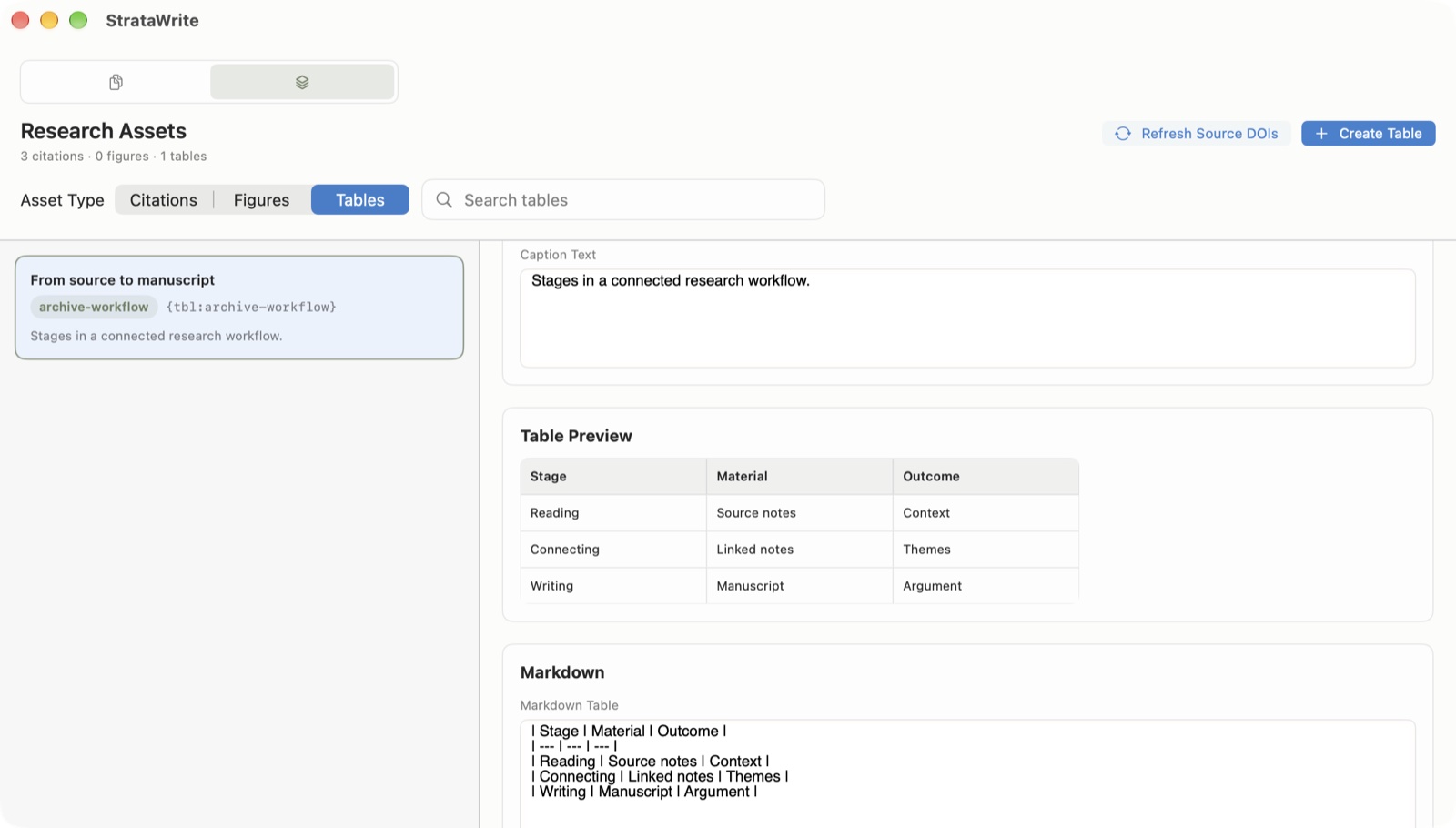
Reuse research assets, edit tables as a grid, and manage numbered mentions in your draft. Export Word or Markdown, or back up the library with citations and assets.
Inside StrataWrite 4.0
Browse notes and manuscripts together, then bring reusable tables and figures into the writing. Word goals, outlines, and Markdown preview support the work between first draft and export.
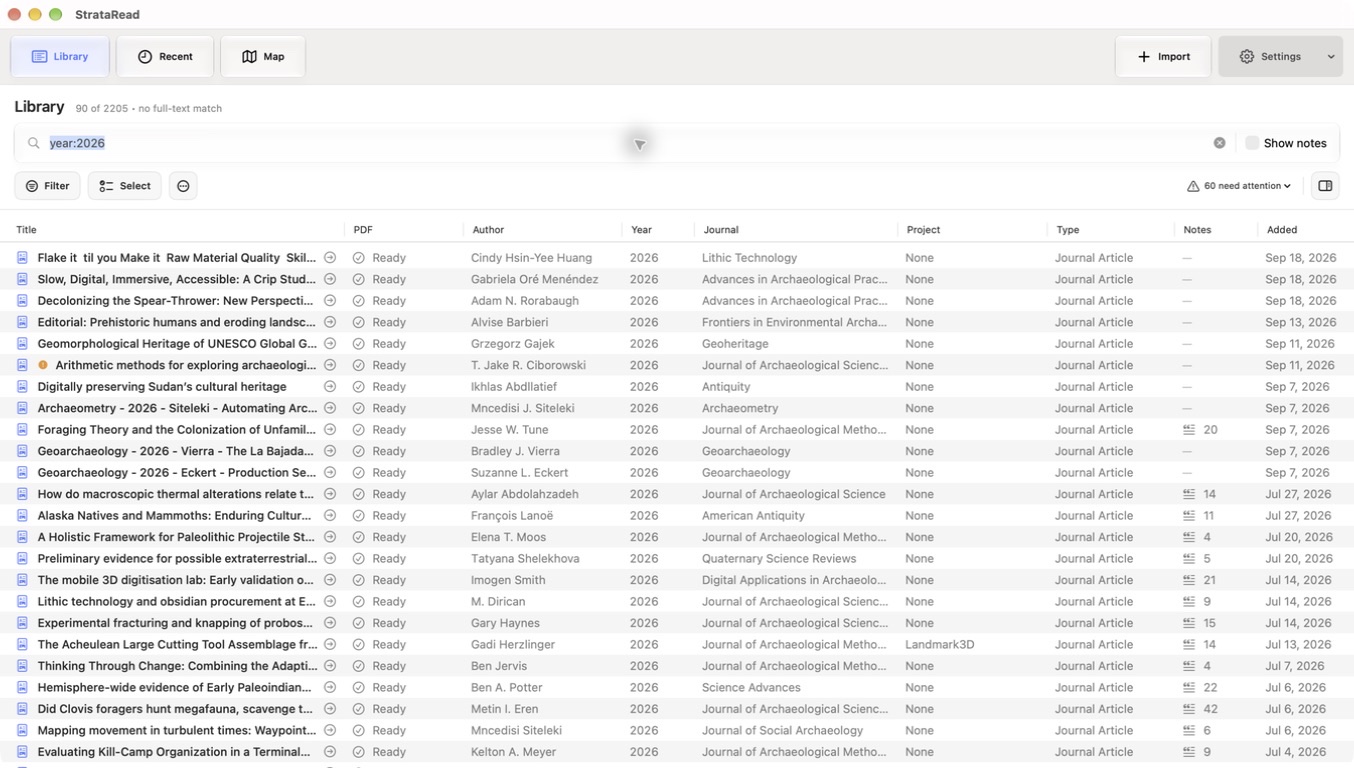
 StrataRead 4.0 preview
The upcoming StrataRead 4.0 brings full-text PDF search, cited evidence, and richer library tools to the reading side of your research.
Combine indexed PDF text with author, year, title, project, and keyword filters. Browse your research through Library, Recent, and Map views.
Review passages grouped by source, narrow by methods or other signals, and return to the PDF page. Copy evidence with citations and source links.
Review metadata repairs and duplicate candidates, track reading status, and export annotated reading notes as Markdown.
What the suite is for
The 4.0 previews bring the two apps closer together, while keeping access and export under your control.
On Mac, StrataWrite can search a running StrataRead library from Insert Reference. Enable StrataRead’s local read connection to import source metadata and insert a citation.
Connect compatible assistants such as Codex or Claude on Mac. Access is off by default; reading and making changes have separate permissions. Connected apps may send requested content to their providers.
Libraries are stored locally and may sync through your iCloud account. Built-in generation uses Apple’s on-device model where available. Online metadata lookups contact research services. Review your privacy choices.
These pages describe development builds, not a release announcement. Features may change before release. Built-in AI depends on a compatible device and Apple Intelligence availability.